
 Grafana Cloud
Observe and act
Monitor infrastructure
Cloud Provider Observability
GCP observability
Metrics
Grafana Cloud
Observe and act
Monitor infrastructure
Cloud Provider Observability
GCP observability
MetricsGoogle Cloud metrics
Collect metrics from Google Cloud Monitoring with Grafana Alloy and send them to Grafana Cloud. Alloy includes an embedded GCP exporter, so you can collect metrics without deploying a separate exporter.
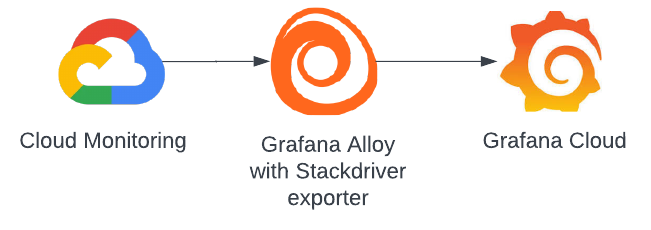
How collection works
The GCP exporter queries Google Cloud Monitoring for the projects and metric types you configure. Alloy then sends the collected metrics to Grafana Cloud, where you can explore them with Cloud Provider Observability.
You can configure Alloy to collect metrics from multiple projects. Use metric prefixes to choose which Google Cloud metric types to collect, and adjust the request interval to control how often Alloy queries Google Cloud Monitoring.
Before you configure
The service account Alloy uses needs the roles/monitoring.viewer IAM role on each Google Cloud project you want to monitor. For the full prerequisites and setup steps, refer to Configure GCP metrics.
Next steps
- Configure GCP metrics to select projects and metric types and start collection
- View preconfigured dashboards and alerts to explore collected metrics
Was this page helpful?
Related resources from Grafana Labs



